- Your cart is empty
- Continue Shopping

How to Choose a CCTV Camera Memory Card in Bangladesh
-
 By
CCTV Camera Shop
- Posted on
- Tutorials


Before buying a CCTV camera memory card, check your camera’s maximum supported capacity and decide how far back you need to review footage. A 64GB card may be enough for a front-door WiFi camera that saves motion clips. A shop camera that records around the clock may need a 128GB or 256GB card to keep more footage before older clips are overwritten.
The right choice depends on three things you can check before ordering: camera compatibility, recording time, and card endurance.
Check which microSD card your CCTV camera supports
Look up your exact camera model in the manufacturer’s specifications. Check for a microSD slot, the maximum supported capacity, and the recommended speed class or card series. If your camera supports up to 128GB, choose a supported card within that limit. Capacity and compatibility can vary across models and hardware versions from the same brand.
Also check where your system saves footage. If you watch recordings through a DVR or NVR, confirm whether they’re stored on the recorder’s hard drive or on a microSD card inside the camera. Buy storage for the device that handles your recording.
64GB vs. 128GB vs. 256GB CCTV memory cards
| Capacity | When to consider it |
|---|---|
| 32GB | A low-traffic area where you only need short motion clips and a brief recording history. |
| 64GB | A home WiFi camera that records motion events, such as a camera watching a front door or hallway. |
| 128GB | A busier entrance or shop camera where you want more footage available for playback. |
| 256GB | A compatible camera that records continuously or needs to keep footage for longer. |
How many days can a CCTV memory card record?
These estimates assume one camera recording continuously at the stated average video bitrate. The actual recording time may be shorter because of usable card capacity, audio, and changes in video bitrate.
| Memory card capacity | At 2 Mbps | At 4 Mbps |
|---|---|---|
| 32GB | About 1.5 days | About 18 hours |
| 64GB | About 3 days | About 1.5 days |
| 128GB | About 6 days | About 3 days |
| 256GB | About 12 days | About 6 days |
A camera recording at 4 Mbps uses about 43GB per day. If you need seven days of continuous footage at that bitrate, you’ll need roughly 302GB before allowing for audio or storage overhead. For motion-only recording, storage lasts longer when the camera spends less time recording. If a dual-lens camera saves both streams, use their combined bitrate for the estimate.
Do you need a high-endurance microSD card for CCTV?
For 24/7 recording, look for a surveillance or high-endurance microSD card that your camera manufacturer supports. Continuous recording repeatedly writes and overwrites footage. A speed rating tells you how quickly the card can write video. Endurance tells you how well the card is designed to handle repeated writing.
Class 10 indicates a minimum sequential write speed of 10 MB/s under the relevant standard. U3 and V30 each indicate 30 MB/s under their respective standards. Follow the speed class and compatibility guidance for your exact camera model.
CCTV camera memory card prices in Bangladesh
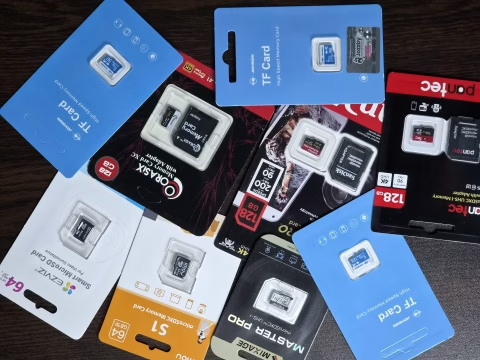
When comparing prices, look at the capacity, exact model, warranty, and recording use. Check the listings below for current prices and availability. MicroSD for CCTV Camera
| Product | Above IT listing |
|---|---|
| EZVIZ 64GB microSD | Check the EZVIZ 64GB memory card |
| IMOU S1 128GB microSD | Check the IMOU S1 128GB memory card |
| Jovision 256GB surveillance microSD | Check the Jovision 256GB CCTV memory card |
Frequently asked questions
Is a 64GB memory card enough for a WiFi CCTV camera?
It can be enough for motion recording in a low-traffic area. If your camera records continuously at an average of 4 Mbps, 64GB holds about a day and a half of video before accounting for storage overhead.
What happens when the CCTV memory card is full?
If the camera supports loop recording and it’s enabled, the camera overwrites older footage to make room for new recordings. Export any clips you need to keep before they’re overwritten.
How do I check whether my camera is recording to the card?
Open the camera app and check that the card appears in its storage settings. If the app asks you to initialize or format the card, save any existing files first because formatting erases them. Record a short clip, then play it back from the camera’s recording history to confirm that it saved.
Ready to compare cards? Check your camera’s supported capacity, then browse CCTV camera memory cards at Above IT.